Choosing a classroom speaker with mic in 2026 requires more than checking volume or Bluetooth compatibility. Teachers need clear speech, dependable controls, and equipment that survives daily movement between rooms. A speaker may sound impressive in a quiet showroom, yet become harsh beside a projector fan or crowded student tables. Room size matters. A compact class may need balanced coverage, while a lecture hall requires wider sound distribution and stronger feedback control.
This guide examines the practical features that influence classroom performance, including microphone pickup, battery life, charging options, connectivity, portability, and accessibility. It also considers how teachers actually use these systems during group work, presentations, emergency announcements, and hybrid lessons. Details matter. A muted microphone, confusing buttons, or a battery warning before class can disrupt learning quickly. Reliable products should offer understandable specifications, stable operation, and support from established manufacturers. Independent reviews and user testing remain valuable, but neither replaces checking your own room.
There is no perfect classroom speaker with mic for every school. Budget limits, furniture layouts, wall materials, and teaching styles change the decision. Some recommendations may fail in unusually reflective rooms or with large groups. That is worth admitting. A careful choice should balance tested performance with realistic classroom habits, not marketing promises alone. The sections ahead will help you compare options clearly, avoid common purchasing mistakes, and select a system that supports voices without distracting from instruction.
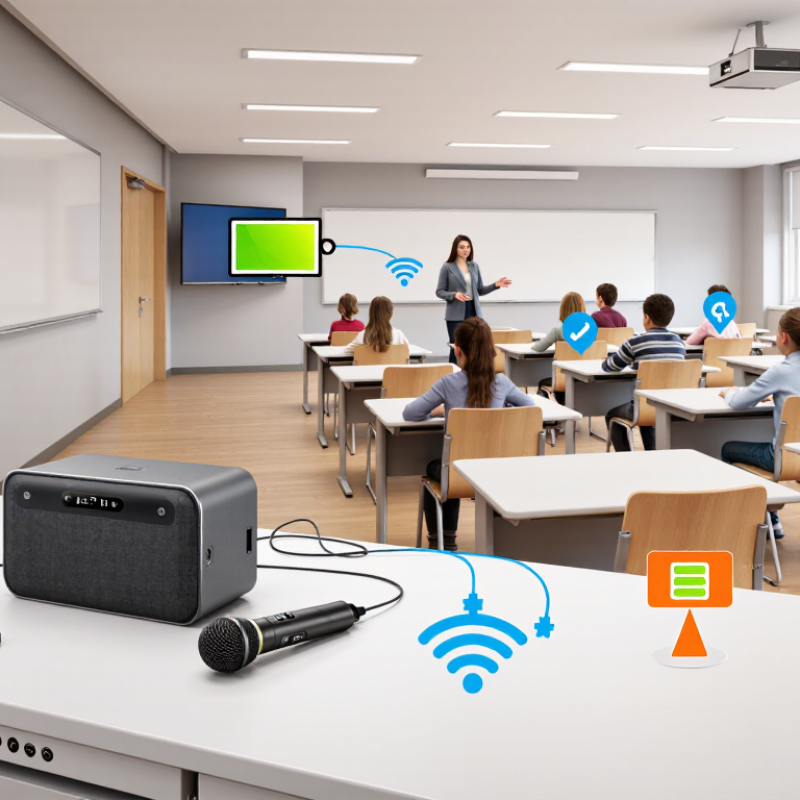
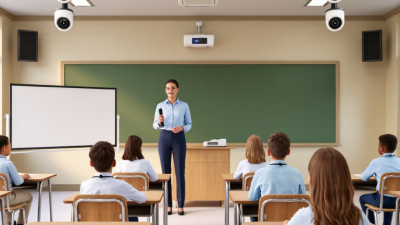
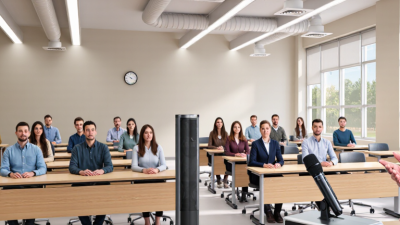
A classroom speaker with a microphone is a voice-reinforcement system, not simply a louder music speaker. Define the room before selecting equipment. Record its length, ceiling height, seating density, and wall materials. A compact room may need one evenly placed speaker, while a long room often needs distributed coverage. The goal is clear speech at every desk, including the back row.
Start with measurable requirements. ANSI/ASA S12.60 recommends classroom background noise near 35 dBA or lower, with reverberation around 0.6 seconds in smaller rooms. Your system should preserve speech intelligibility without sounding harsh. The World Health Organization’s 2021 World Report on Hearing states that over 1.5 billion people live with hearing loss worldwide. That figure makes intelligibility more important than impressive volume. A practical target is consistent coverage, simple volume control, and a microphone with strong feedback resistance.
Define the microphone’s daily use, too. A headset suits movement and demonstrations, while a handheld microphone works better for fixed instruction. Choose automatic muting, clear battery indicators, and wired backup when lessons cannot pause. Measure the teacher’s voice from the rear seats, not beside the speaker. That mistake is common. Test with reading, discussion, and student questions. Some systems sound excellent during music playback but weaken consonants in ordinary speech. Recheck the setup after desks, curtains, or wall panels change.
| Requirement Category | Recommended Requirement | Why It Matters in a Classroom | What to Check Before Purchase |
|---|---|---|---|
| Classroom Definition | A classroom speaker with mic is an integrated or paired audio system that amplifies a teacher's voice, lessons, videos, and online meeting audio. | It should improve speech intelligibility without requiring the teacher to raise their voice. | Confirm that the system supports both spoken voice and multimedia playback, rather than functioning only as a music speaker. |
| Room Size | For rooms up to approximately 50 m², a compact powered speaker may be sufficient. Larger rooms may require distributed speakers or two balanced units. | Sound must reach students at the back and sides without excessive volume near the teacher. | Measure room area, ceiling height, seating distance, and the farthest listening position. |
| Audience Capacity | Select a system designed for the expected number of listeners, commonly 20–40 students in a standard classroom. | More listeners and greater seating density increase the need for even sound coverage. | Ask for the manufacturer's stated coverage guidance and avoid judging suitability only by maximum wattage. |
| Speech Output | Prioritize clear vocal reproduction and sufficient acoustic output for the room; a practical target is roughly 85–95 dB SPL at the listening area, without audible distortion. | Speech clarity depends more on clean, even coverage and low distortion than on high peak volume. | Listen for consonants such as “s,” “f,” and “t” at the back of the room. Check maximum SPL, distortion, and coverage specifications. |
| Frequency Response | A useful classroom range is approximately 80 Hz–16 kHz, with emphasis on the midrange used for speech. | Speech intelligibility is concentrated mainly in the midrange, while excessive bass can make voices sound unclear. | Look for a published frequency-response graph or range and test voice playback at normal volume. |
| Microphone Type | Choose a lightweight headset or lapel microphone for consistent voice level. A handheld microphone is suitable for presentations and supervised use. | Wearable microphones keep the speaker at a steady distance from the microphone while the teacher moves around. | Check comfort, microphone placement, cable strain relief, wind protection, and whether the transmitter can be muted. |
| Wireless Microphone Band | Use a legally permitted wireless system for the operating region, with stable digital or approved radio transmission. | Wireless reliability prevents dropouts, interference, and interruptions during lessons. | Verify local frequency compliance, operating range, channel selection, and performance near Wi-Fi equipment. |
| Microphone Pickup | A close-position headset or lapel microphone is generally preferable to relying on a distant built-in microphone. | A nearby microphone captures the teacher's voice more strongly than room noise and reduces feedback risk. | Test the system while the teacher turns, walks, and speaks at different natural volume levels. |
| Feedback Control | Include automatic feedback suppression, adjustable equalization, or a simple tone-control system. | Feedback can occur when the microphone hears amplified sound from the speaker, especially in reflective rooms. | Test near walls and the speaker position. Confirm that feedback control does not create noticeable voice artifacts. |
| Audio Inputs | At minimum, provide microphone input plus one auxiliary or line input. USB, Bluetooth, or HDMI audio may be useful for digital lessons. | Teachers often switch between voice amplification, computers, tablets, projectors, and media players. | Check connector types, input priority, independent volume controls, and whether microphone and media audio can be mixed. |
| Wireless Connectivity | Bluetooth is useful for short-range media playback; wired connections should remain available for reliable classroom presentations. | Wireless playback is convenient, while cables reduce pairing problems and latency during important lessons. | Check Bluetooth version, pairing security, connection range, audio delay, and whether multiple users can connect safely. |
| Battery Runtime | For portable systems, target at least 6–8 hours of practical operation per charge, with battery-level indication. | A full school day can include several lessons, and unexpected battery failure disrupts teaching. | Review runtime at normal operating volume, charging time, battery replacement policy, and operation while charging. |
| Power Option | A mains-powered system is best for fixed rooms; a rechargeable system is preferable for flexible teaching spaces. | The power design should match whether the speaker is moved between rooms or installed permanently. | Inspect cable length, power-adapter safety, charging protection, and whether the unit automatically resumes after power loss. |
| Speaker Placement | Place the speaker above ear level or toward the front, aimed across the listening area rather than directly at the microphone. | Correct placement improves coverage and reduces the chance of acoustic feedback. | Look for mounting points, stable feet, carrying handles, wall brackets, and adjustable tilt or direction. |
| Coverage Uniformity | Choose even horizontal and vertical dispersion instead of a narrow, highly directional output. | Students should hear similar speech levels from the front, middle, and rear seating positions. | Test several seats and compare vocal clarity and volume. Consider two lower-level speakers for long or wide rooms. |
| Controls | Provide clearly labeled microphone volume, media volume, master volume, mute, and power controls. | Simple controls allow teachers to adjust sound quickly without technical assistance. | Check button size, display readability, lockout options, remote control access, and protection against accidental changes. |
| Durability | Use a robust enclosure with a protected grille, reinforced connectors, and surfaces that can be cleaned safely. | Classroom equipment is frequently moved, handled by multiple users, and exposed to dust and accidental impacts. | Inspect the grille, handles, switches, connectors, rubber feet, and stated operating or storage conditions. |
| Portability | For shared rooms, choose a manageable weight and a design that can be carried and stored without specialist equipment. | A system that is difficult to move may be left in unsuitable positions or used less often. | Consider total weight, carrying points, storage case compatibility, and cable-management options. |
| Safety | Use certified electrical equipment with secure battery protection, stable placement, and cables routed away from walkways. | Schools must reduce trip, electrical, heat, and battery-related hazards. | Review applicable electrical certifications, ventilation requirements, charging instructions, and child-safe operating procedures. |
| Accessibility | Support clear speech at moderate levels and provide connection options for assistive listening or hearing-support systems when required. | Inclusive audio design helps students with hearing difficulties participate in lessons. | Consult accessibility requirements and verify compatibility with assistive listening equipment used by the school. |
| Selection Priority | Rank speech intelligibility, coverage, microphone reliability, ease of use, safety, and serviceability above maximum power ratings. | A classroom system is successful when every student can understand the lesson consistently and the teacher can operate it easily. | Create a room-specific test checklist and evaluate the system with real teaching speech, classroom noise, and typical lesson media. |
Note: Recommended values are general planning guidelines. Final selection should be confirmed through an in-room listening test, local electrical and wireless regulations, accessibility requirements, and the classroom's actual dimensions and acoustics.