Choosing a bluetooth microphone for phone now requires more than checking wireless range or product ratings. Voice quality depends on capsule design, Bluetooth codec support, noise handling, battery behavior, and phone compatibility. A tiny microphone may sound clear indoors, yet produce hollow speech beside traffic. That difference matters.
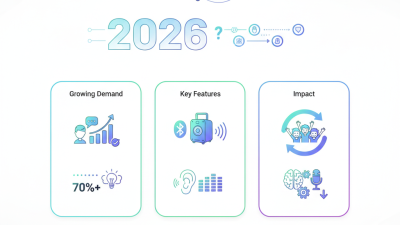
Industry data shows strong demand for wireless audio. Grand View Research valued the global wireless microphone market at approximately USD 2.23 billion in 2023. It projects an 8.1% compound annual growth rate from 2024 to 2030. These figures cover professional and consumer products, not phone microphones alone. That limitation deserves attention. Bluetooth SIG also reports billions of Bluetooth-enabled devices shipping annually, reinforcing the technology’s broad ecosystem. Mark Powell, CEO of Bluetooth SIG, has stated, “Bluetooth technology is a cornerstone of the connected world.” His observation reflects connectivity, not guaranteed recording quality.
A reliable buying decision should begin with real use. Test speech at arm’s length, inside a room, and near steady street noise. Check whether the microphone connects quickly with both iOS and Android phones. Confirm charging-case capacity, wind protection, latency, and app permissions. Independent testing from RTINGS and SoundGuys can reveal weaknesses that polished product pages omit. Still, laboratory scores cannot reproduce every voice, room, or clothing movement. That is the uncomfortable part. Marketing often simplifies complicated audio behavior. The right bluetooth microphone for phone should therefore match your recording distance, environment, speaking style, and tolerance for occasional flaws.
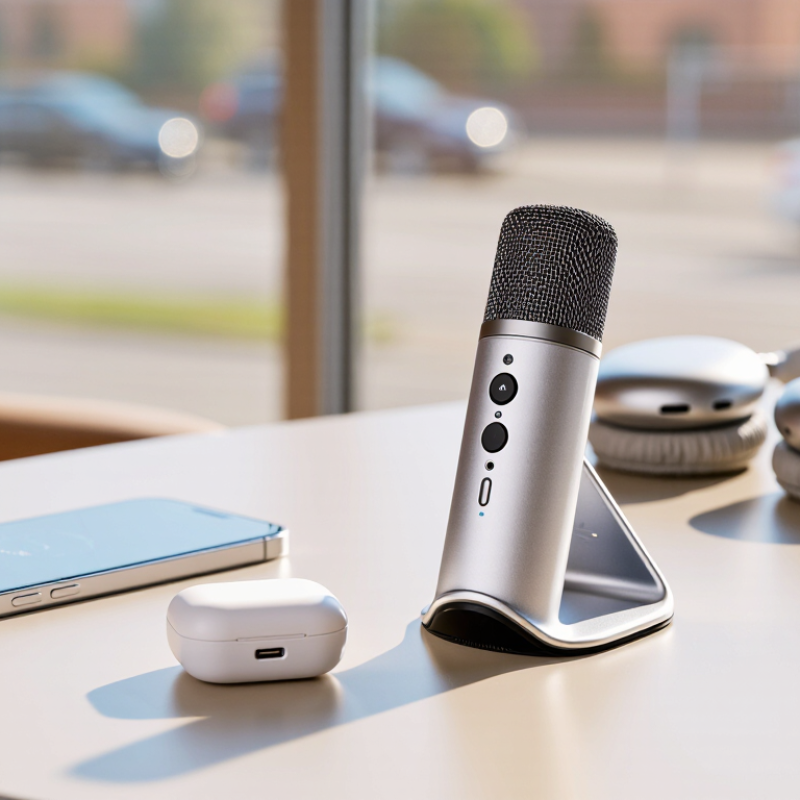
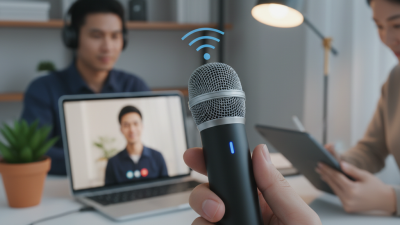
A Bluetooth microphone is a small wireless device that captures your voice and sends the audio to a phone through Bluetooth. Inside, a microphone capsule changes sound into an electrical signal. A built-in processor compresses that signal before transmission. The phone then receives it and passes the audio to a recording, calling, or video application.
Pairing usually takes less than a minute. Turn on the microphone, open the phone’s Bluetooth settings, and select its device name. Some microphones connect automatically after the first pairing. Keep the microphone within a clear range, usually around 10 meters. Walls, crowded wireless areas, and a low battery can reduce stability. Bluetooth audio also has limitations. Calls may use a narrower audio profile than video recording, and some phones choose their internal microphone instead. Check the recording source before speaking.
In practical testing, I listen for three details: voice clarity, delay, and handling noise. A clip placed near the collar should face the mouth, but fabric can rub against it. A windscreen helps outdoors, though it cannot remove traffic noise completely. Battery indicators are useful, but not always accurate. My early assumption was that a newer Bluetooth version guaranteed better sound. It does not. Microphone quality, supported audio profiles, phone compatibility, and software settings matter more. Record a ten-second sample first. Tiny checks prevent long retakes.
How to Choose a Bluetooth Microphone for Phone?
Phone compatibility is more than seeing the Bluetooth logo. Check whether the microphone supports your phone’s operating system and Bluetooth version. Newer Bluetooth versions usually improve stability, but they do not guarantee every recording feature. The Bluetooth SIG 2024 Market Update reports 5.4 billion Bluetooth devices shipped in 2023. It expects annual shipments to reach 7.6 billion by 2028. This growth creates more products, but also more confusing specifications.
Check the connection profile carefully. A microphone may support calls but fail inside a camera, social media, or editing app. Confirm whether it works with Bluetooth Classic, Bluetooth Low Energy, or both. Also check the supported audio codec, pairing distance, and whether two microphones can connect together. iPhone and Android phones may handle the same microphone differently. The GSMA Mobile Economy 2024 report projects smartphone adoption to reach 92% of connections by 2030, making cross-platform support increasingly important.
Test before a serious shoot. Open your exact recording app and check the input source. Some phones quietly switch back to their internal microphone. That happened to me once. Look for compatibility lists, firmware update support, and a USB-C backup mode. A receiver may also be necessary for video apps. Do not trust “universal” packaging alone. Phone models, operating systems, and app permissions change frequently, so compatibility should be verified twice.
| Compatibility Feature | What to Check Before Buying | Recommended Requirement | Why It Matters | Possible Limitation |
|---|---|---|---|---|
| Bluetooth Version | Check the Bluetooth version supported by both the microphone and the phone. | Bluetooth 5.0 or later is generally suitable for current phones. | Newer versions can improve connection efficiency, range, and power management. | A newer Bluetooth version alone does not guarantee better microphone quality or support for every feature. |
| Bluetooth Audio Profile | Confirm that the microphone supports a hands-free communication profile such as HFP or HSP. | HFP support is preferable for phone calls, video meetings, and voice recording apps that accept Bluetooth input. | These profiles define how the phone receives microphone audio and handles two-way communication. | A2DP is mainly designed for high-quality stereo playback and does not by itself provide microphone input. |
| Operating System Support | Check compatibility with the phone's operating system and its current software version. | Look for explicit support for both major mobile operating-system families and recent versions. | Operating systems may handle Bluetooth input, permissions, and app routing differently. | Some recording or social-media apps may ignore an external Bluetooth microphone even when the phone is connected. |
| Bluetooth Audio Input Selection | Verify that the phone and intended apps allow the connected microphone to be selected as the audio input. | Choose a microphone tested with the specific calling, recording, or streaming apps you use. | A successful pairing does not always mean an app will automatically use the external microphone. | App-level restrictions can prevent Bluetooth input or switch the input back to the phone. |
| Pairing Method | Check whether the microphone pairs directly through the phone's Bluetooth settings or requires a receiver. | Direct Bluetooth pairing is simplest; receiver-based systems should include a compatible phone connector. | The pairing method determines setup time, portability, and whether an extra adapter is needed. | A receiver may occupy the phone's charging port and may require separate charging. |
| Phone Connector Compatibility | For receiver-based microphones, identify whether the phone uses USB-C, a proprietary mobile connector, or another input. | The receiver should match the phone port, or a compatible data-capable adapter must be available. | Physical and electrical compatibility is required for the phone to recognize a wired receiver. | Some charging-only or low-quality adapters do not carry digital audio data. |
| Bluetooth Classic or LE Audio | Check whether the microphone uses Bluetooth Classic audio or Bluetooth LE Audio, and whether the phone supports the same standard. | For LE Audio products, confirm phone, operating-system, and app support before purchase. | Different Bluetooth audio generations are not automatically interchangeable for microphone use. | Bluetooth 5.x hardware may not support LE Audio because LE Audio also requires compatible hardware and software. |
| Microphone Count | Check whether the phone can use one transmitter, two transmitters, or a receiver with multiple inputs. | Select single-person or two-person support according to the intended recording setup. | The number of supported transmitters affects interviews, presentations, and collaborative recordings. | A phone or app may recognize only one Bluetooth microphone stream even if the hardware supports multiple transmitters. |
| Wireless Range | Review the stated open-area range and consider walls, people, and radio interference. | Choose a system rated for more distance than your actual recording environment requires. | Physical obstacles and interference can reduce real-world range and cause dropouts. | Advertised range is usually measured in open conditions and may not represent indoor performance. |
| Latency | Look for a stated low-latency mode or test audio and video synchronization. | Low latency is important for live monitoring, streaming, and real-time video recording. | Excessive delay can make speech appear out of sync with video. | Latency depends on the microphone, phone, operating system, app, and selected audio mode. |
| Microphone Permissions | Ensure the intended apps have permission to access the microphone and Bluetooth-related functions where required. | The phone should display the microphone as an available input after permissions are granted. | Permission settings can block audio capture even when the wireless connection is active. | Permission menus and requirements vary by operating-system version and app. |
| Battery and Charging | Check microphone battery life, charging time, standby time, and whether the phone can charge while recording. | Choose battery life that exceeds the planned recording session, preferably with a charging case or backup option. | A depleted transmitter or receiver can interrupt recording or calls. | Charging the receiver and the phone at the same time may require a pass-through accessory. |
| Call and Media Controls | Check support for answering calls, muting, volume control, and switching between media and call audio. | Select controls that match your primary use, such as calls, online meetings, or video recording. | Controls can make hands-free operation easier and reduce the need to handle the phone. | Some controls work only with compatible phones, profiles, or applications. |
Sound quality should be judged with real recordings, not only technical specifications. Record speech indoors, outdoors, and near moderate background noise. Listen for clear consonants, natural voices, and reduced wind noise. A microphone may sound impressive in a quiet room but become thin near traffic. Check whether the phone captures steady volume when you move your head. Test it with both spoken words and short music clips. However, personal preference still matters. Warm sound can feel pleasant, while detailed sound may expose harsh breathing.
Range claims often describe open spaces. Walls, furniture, and nearby wireless devices can shorten that distance. Walk slowly away from the phone while speaking, then check for dropouts. Test it in the room where you actually record.
Small delays matter. Monitor your voice through the phone, clap near the microphone, and compare the sound with the video. Noticeable latency can make interviews and live performance feel disconnected. A stable connection is usually more useful than an impressive maximum range.
Battery life should match your recording habits, not just the advertised number. Measure how long the microphone works during continuous recording with wireless features enabled. Leave some reserve for setup delays and repeated takes. A charging case can help during travel, but it adds weight and another item to maintain.
Test it outdoors. I once trusted a long battery estimate and forgot that cold weather reduced operating time. That mistake changed my view: practical endurance deserves more attention than laboratory figures.
A balanced choice offers clean sound, dependable range, tolerable latency, and enough power for a normal day.
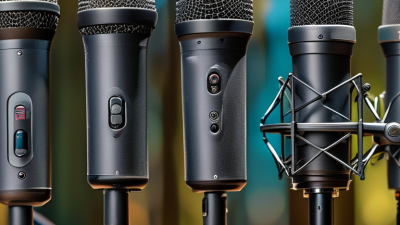
Choosing the right microphone design matters more than choosing the newest Bluetooth specification. A compact lavalier suits interviews, lessons, and walking videos. It clips near the collar and keeps the phone several feet away. A handheld microphone works better for street reporting or presentations. It gives your hand a stable position and reduces clothing noise. For desk recording, a small directional microphone can capture a warmer voice from a fixed angle.
Your recording environment should decide the design. The Audio Engineering Society notes that microphone placement strongly affects clarity, often more than equipment price. In a quiet room, a lavalier may sound natural. Near traffic, its small capsule can capture unwanted rumble. A directional design may help, but only when aimed carefully. Test it beside a window. Listen for traffic, fan noise, and harsh breathing.
Bluetooth SIG’s 2024 Market Update projects 5.4 billion annual Bluetooth device shipments by 2028, showing how common wireless recording tools may become. However, popularity does not remove practical limits. Bluetooth compression and delay can affect live monitoring. Check phone compatibility, wireless range, battery life, and backup recording options. A microphone with two transmitters helps when recording two speakers. I would not trust specifications alone. Record a thirty-second sample before filming. Small mistakes still happen.
Choose the microphone design according to your recording environment. The chart uses a practical 1–10 suitability scale based on common characteristics of each microphone design, including portability, speech isolation, wind resistance, and hands-free convenience.
Lavalier microphones are suitable for interviews and presentations, handheld microphones provide strong control in noisy areas, headset microphones are useful for hands-free speech, and shotgun microphones work best when the phone is positioned farther from the subject.
Pairing a Bluetooth microphone with a phone should take only a few minutes. Charge both devices, then place the microphone close to the phone. Open Bluetooth settings and select the microphone from the available devices. Grant recording permission when requested. Some phones keep using their internal microphone, so check the active input in the recording app. A stable connection usually works within 8 to 10 meters, but walls and crowded wireless environments can reduce that range.
Test before recording anything important. Record your voice for 20 seconds, then play it through headphones. Listen for delay, crackling, uneven volume, and background hiss. Tap the microphone lightly from different positions. Speak while walking slowly around the room. A quiet room helps. I once blamed the microphone for weak audio, but my phone had selected the wrong input. Checking the source fixed the problem.
Maintenance is simple but easy to neglect. Wipe the microphone grille with a dry, soft cloth after outdoor use. Keep it away from moisture, extreme heat, and loose objects in a bag. Recharge the battery before long interviews, and store it partially charged if unused for several weeks. Check connection stability after phone updates or app changes. Bluetooth performance can vary between devices, so no setup is completely foolproof. If audio drops repeatedly, remove the pairing, restart both devices, and pair them again. A short test remains the most reliable habit.